Your Restaurant Website and Digital Menu Boards Should Work Together — Here’s How in 2026
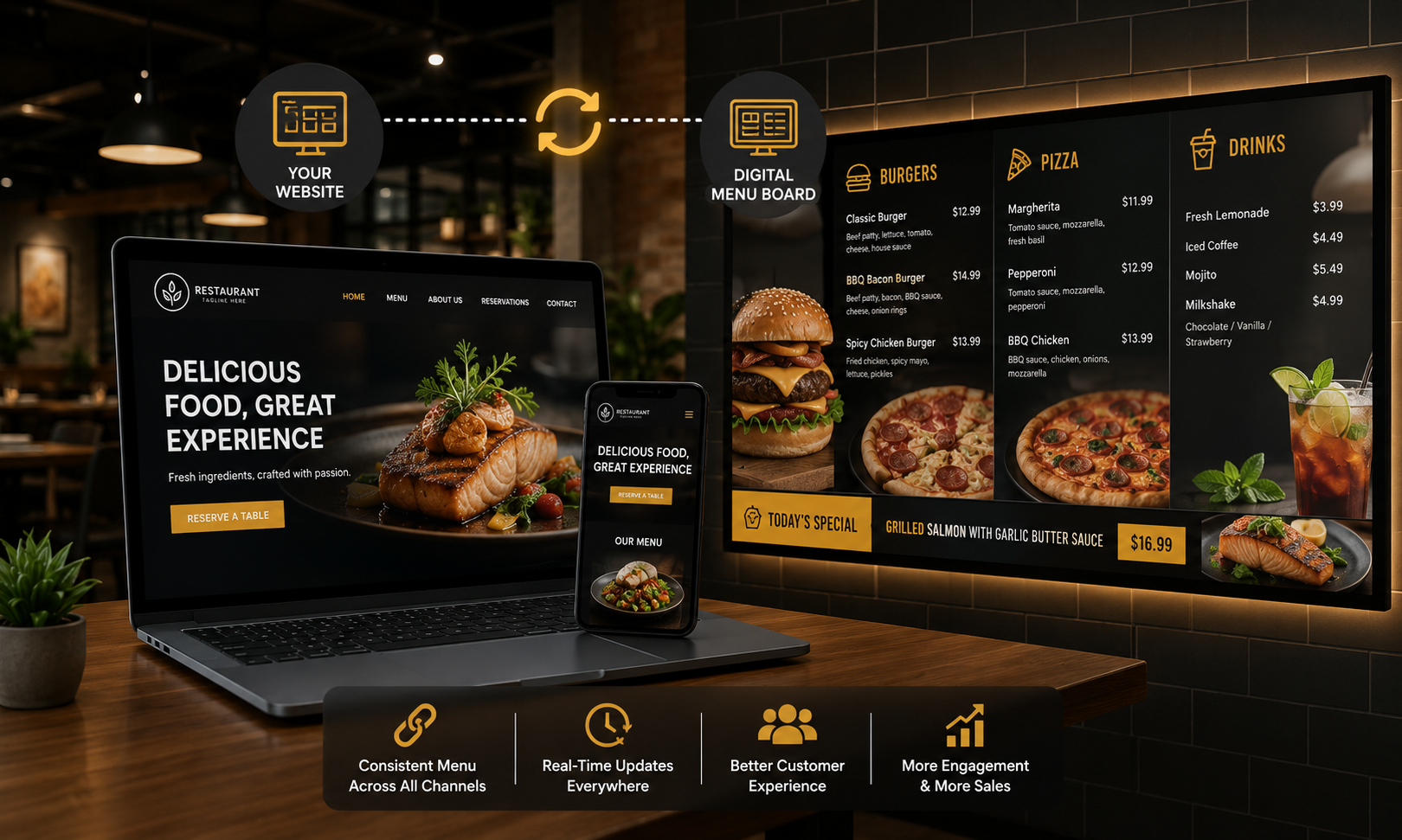
Most restaurant owners treat their website and their in-venue screens as completely separate things. In 2026, the most successful operators are connecting them — using the same content, the same branding, and the same SEO strategy to drive customers online and convert them in-venue.
Introduction: Two Channels, One Customer
A customer's journey with your restaurant typically starts online — a Google search, a review platform, an Instagram post — and ends in your venue. But most restaurants treat their website and their in-venue screens as completely separate things, managed by different people, updated at different times, and reflecting different versions of the same brand.
In 2026, the restaurants and cafes growing fastest are the ones treating digital presence and physical presence as a single, connected strategy. Your website gets people through the door. Your digital menu boards convert them, upsell them, and bring them back. Align them properly and the effect compounds.
Here's how to make both work together — and how Display Manager Pro fits into that picture.
1. Your Website Gets Them In the Door — SEO Is How They Find You
Before a customer walks into your restaurant, cafe, bar, or hotel, they've almost certainly looked you up online. Google search, Google Maps, a review platform — the online decision happens before the physical visit. If your website isn't ranking for the searches your potential customers are making, they're going somewhere else.
The searches restaurant owners should be ranking for in 2026:
- 'best cafe in [city]'
- 'restaurant near me open now'
- '[cuisine type] restaurant [suburb]'
- 'digital menu board software for restaurants'
- 'restaurant with happy hour [city]'
Ranking for these searches requires a fast, mobile-optimised website with location-specific content, accurate schema markup, and a Google Business Profile that's fully completed and actively maintained. These are the digital foundations that put you in front of customers at the exact moment they're deciding where to go.
2. Mobile Website Performance Mirrors What Customers Expect In-Venue
There's a consistency principle at work in the best hospitality brands: the experience online should feel like a preview of the experience in-venue. A restaurant with a beautiful, fast, easy-to-navigate mobile website sets an expectation. If the in-venue experience — including the menu boards — feels similarly polished and up-to-date, that expectation is met.
If your website is slow, your menu is outdated, or your boards are running last month's promotions from a USB stick — the inconsistency erodes trust, even if customers can't articulate exactly why.
Mobile-first website design in 2026 means:
- Pages that load in under three seconds on a 4G connection
- Menus that are readable without zooming on a phone
- Online booking or ordering that works smoothly on a small screen
- Up-to-date information — hours, specials, seasonal menus — that matches what's on your screens
3. SEO Content Fuels In-Venue Content — and Vice Versa
The content you create for your website can and should feed your digital menu boards — and the reverse is equally true.
A blog post about your seasonal menu becomes a source of images and copy for your in-venue boards. A promotion you're running on your screens is worth a dedicated page on your website to capture search traffic. A customer testimonial that works as social proof on your website is equally powerful on a screen in your waiting area.
Content that works across both channels:
- Seasonal menu launches — announce online, display in-venue
- Limited-time offers and promotions — rank for them on Google, run them on your boards with a countdown
- Customer reviews and testimonials — embed on your website, display on your waiting area screen
- Staff introductions and behind-the-scenes content — builds trust online and in-venue
- Events and live music — promote on your site for SEO, display on screens for walk-ins
4. Schema Markup for Restaurants: Connecting Online Presence to In-Venue Reality
Restaurant schema markup tells Google exactly what your business offers — and when implemented properly, it surfaces that information directly in search results without a customer needing to click through to your site.
The schema types most valuable for restaurants in 2026:
- Restaurant — business name, address, cuisine, price range, opening hours
- Menu — actual menu items with names, descriptions, and pricing
- AggregateRating — your star rating from Google or other review platforms
- Event — upcoming live music, themed dinners, or special occasions
- SpecialAnnouncement — for temporary changes like holiday hours or seasonal closures
5. Local SEO and Digital Signage: Driving Footfall From Search
Local SEO — ranking in Google Maps and local search results — is the bridge between your online presence and your physical venue. A restaurant that ranks in the top three Google Maps results for 'cafe near me' in their area will see a direct increase in walk-in traffic.
And once those walk-ins are in the venue, your digital menu boards are the tool that converts them — upselling, promoting specials, displaying the high-margin items that turn a $12 coffee order into a $25 combined food and drink visit.
Local SEO essentials for restaurant owners in 2026:
- Google Business Profile fully completed with accurate hours, photos, and menu information
- Consistent NAP (Name, Address, Phone) across your website, Google, and all directories
- Regular Google reviews — actively ask satisfied customers and respond to every review
- Location-specific pages on your website for each venue if you have multiple sites
- Local schema markup with your exact address, cuisine, and service area
6. Display Manager Pro as the Link Between Online and On-Screen
Display Manager Pro is built to be the operational layer between your content decisions and your customers' experience — whether they're visiting your website or standing in your venue.
From one cloud dashboard, you can:
- Update your digital menu boards in seconds from any device, anywhere
- Schedule seasonal content to match what your website is promoting
- Push the same promotion live across all screens simultaneously
- Create a consistent branded experience from the moment a customer finds you online to the moment they walk out your door
It works on hardware you already own — Smart TVs, Fire Stick, Android TV Box, Chrome browser — and takes about 10 minutes to set up. Plans start at $9.99/month per screen.
Getting Started: Align Your Website and Your Screens
The practical starting point is simple: treat your website and your in-venue screens as one connected communication channel, not two separate projects.
This week's checklist:
- Audit your website for mobile speed and local SEO basics
- Verify your Google Business Profile is complete and accurate
- Add or update schema markup for your restaurant, menu, and reviews
- Set up Display Manager Pro and connect it to the screens in your venue
- Align your first digital board content with what you're promoting on your website
When your online presence and in-venue experience tell the same story, both get stronger.
Ready to Align Your Website and Your Screens?
Visit displaymanagerpro.com to start a free 14-day trial — no credit card required →
Get Started Today
Ready to modernise your screens?
Start your free 14-day trial. No credit card required. Cancel anytime.
Get Started Free →Have questions? Read our FAQ or contact us.
Explore DisplayManagerPro